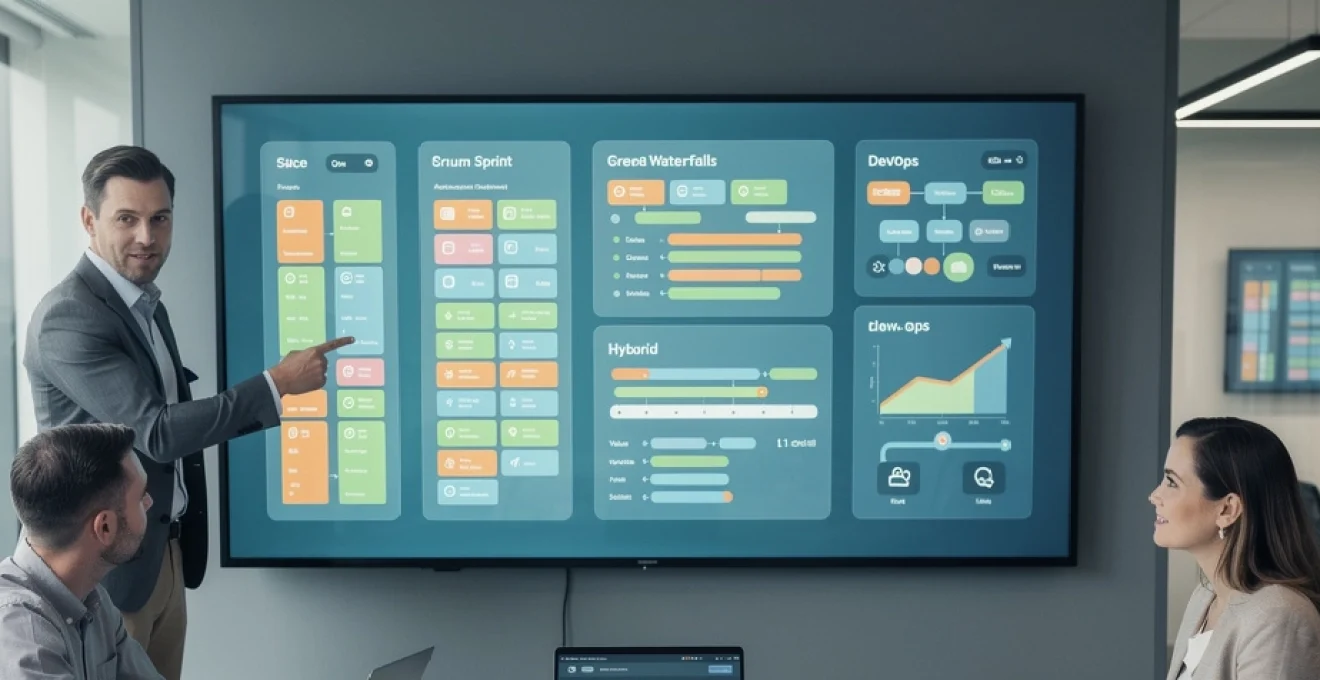
The modern workplace demands more than basic task management—it requires sophisticated orchestration of complex workflows, seamless collaboration across distributed teams, and real-time visibility into project performance. With over 300 project management platforms available in today’s market, selecting the optimal solution has become increasingly challenging for organisations seeking to enhance productivity and streamline operations.
Research indicates that companies utilising appropriate project management tools experience a 38% increase in project success rates and reduce time-to-market by an average of 25%. However, the abundance of options, each promising revolutionary features and transformative outcomes, often leads to analysis paralysis. The decision becomes even more critical when considering that 89% of organisations use multiple project management tools simultaneously, creating fragmented workflows and reduced efficiency.
The stakes of this decision extend beyond immediate operational concerns. Effective project management tool selection directly impacts team morale, client satisfaction, and bottom-line results. Teams equipped with the right platform report 40% higher job satisfaction and demonstrate 45% faster project completion rates compared to those struggling with inadequate or misaligned tools.
Project management methodology assessment and tool alignment
Understanding your organisation’s preferred project management methodology serves as the foundational step in tool selection. Different methodologies require distinct features, workflows, and integration capabilities. Teams following traditional approaches may prioritise different functionalities compared to those embracing modern agile practices.
Agile framework requirements for scrum and kanban implementation
Agile methodologies demand tools that support iterative development, continuous feedback loops, and adaptive planning. Scrum-focused teams require platforms offering comprehensive sprint management, user story tracking, and burndown chart visualisation. Essential features include backlog prioritisation capabilities, velocity tracking mechanisms, and retrospective management tools.
Kanban implementations necessitate sophisticated board configurations with customisable workflow stages, work-in-progress limits, and lead time analytics. Modern platforms supporting agile frameworks typically include automated sprint planning features, story point estimation tools, and integration with development environments. Consider platforms providing advanced reporting capabilities for tracking team velocity, identifying bottlenecks, and measuring continuous improvement metrics.
Waterfall project structure and sequential task dependencies
Traditional waterfall methodologies require tools emphasising detailed upfront planning, comprehensive documentation, and sequential task management. These environments benefit from platforms offering robust Gantt chart functionality, critical path analysis, and milestone tracking capabilities. Resource allocation features become particularly important for managing complex project timelines and interdependencies.
Waterfall-oriented tools should provide comprehensive baseline management, allowing teams to track project performance against original plans. Advanced scheduling features, including resource levelling and constraint management, prove essential for maintaining project integrity throughout lengthy development cycles.
Hybrid methodology support in modern PM platforms
Contemporary organisations increasingly adopt hybrid approaches, combining elements from multiple methodologies based on project requirements and team preferences. Platforms supporting hybrid methodologies offer flexible workflow configurations, allowing teams to customise processes without compromising functionality. These tools typically feature adaptive dashboards, configurable reporting mechanisms, and seamless transitions between different project views.
Successful hybrid implementations require platforms with robust customisation capabilities, enabling teams to create unique workflows that align with their specific operational requirements. Look for solutions offering both structured planning tools and flexible collaboration features, ensuring teams can adapt their approach as project needs evolve.
Devops integration capabilities for continuous deployment workflows
DevOps environments demand seamless integration between project management platforms and development tools. Essential integrations include version control systems, continuous integration pipelines, and automated testing frameworks. Modern development teams require real-time visibility into code commits, build status, and deployment metrics directly within their project management interface.
Consider platforms offering native integrations with popular development tools like GitHub, Jenkins, and Docker. Advanced DevOps-oriented features include automated issue creation from monitoring systems, deployment tracking, and performance metric correlation with project milestones.
Team composition analysis and collaboration requirements
Team structure significantly influences project management tool effectiveness. Understanding your team’s composition, communication patterns, and collaboration preferences enables more informed platform selection. Different team configurations require varying levels of functionality, security, and integration capabilities.
<hh3>Remote workforce management and asynchronous communication features
Distributed and hybrid teams require project management tools that go far beyond simple task lists. Platforms must support asynchronous communication, allowing team members in different time zones to contribute without relying on real-time meetings. Features such as persistent discussion threads, inline task comments, and clear activity logs ensure that decisions and context are never lost in chat histories.
Look for tools that provide integrated video conferencing links, meeting notes capture, and automatic recording storage alongside project artifacts. Robust notification controls are equally important so individuals can tailor alerts and avoid constant interruptions. When evaluating remote work capabilities, prioritise platforms with mobile applications, offline access, and time zone–aware scheduling to maintain continuity of work regardless of location.
Cross-functional team coordination between development and marketing
Many organisations struggle to align development, marketing, and other business units around shared project outcomes. The right project management tool functions as a common operational layer, enabling cross-functional teams to collaborate while maintaining their specialised workflows. Development teams may operate in sprints with detailed issue tracking, while marketing prefers campaign calendars and content approval flows.
Effective platforms bridge these different perspectives through shared roadmaps, linked tasks, and unified reporting. For instance, a feature release in the development backlog should automatically surface associated marketing activities such as launch content, sales enablement assets, and customer communications. When assessing tools, examine how easily teams can create shared views, map dependencies across departments, and maintain a single source of truth for release dates and campaign milestones.
Stakeholder access levels and client portal functionality
Not every stakeholder needs full access to your project management system, yet many require visibility into progress and key decisions. Advanced tools offer granular permission controls, allowing you to define roles for internal team members, leadership, and external clients. This segmentation ensures sensitive information remains protected while still providing transparent status updates where appropriate.
Client portal functionality can be particularly valuable for agencies, consultancies, and professional services firms. These portals typically provide read-only or limited edit access to project timelines, deliverables, and review items. When evaluating platforms, confirm that external users can access dashboards, comment on items, and approve work without navigating the full complexity of your internal workspace. This balance reduces email overhead and fosters trust through real-time, shared visibility.
Multi-department resource allocation and capacity planning
As organisations scale, resource allocation becomes a systemic challenge rather than a local team concern. Project management tools supporting multi-department planning allow leaders to see who is working on what, across all projects and functional areas. Capacity planning views should aggregate workload by person, role, and department, highlighting overutilisation and underutilisation before they result in delays or burnout.
Look for platforms with native time tracking or integration to time-tracking tools, as accurate utilisation data improves forecasting. Advanced systems enable scenario modelling, letting you test the impact of adding a new project or shifting deadlines on overall capacity. When multiple departments share the same specialist roles—such as designers, data analysts, or security engineers—centralised resource visibility becomes critical to prevent scheduling conflicts and missed dependencies.
Essential feature matrix for project management platforms
With hundreds of options available, constructing an essential feature matrix helps you compare project management tools objectively. Rather than evaluating platforms based on marketing claims, you can score each option against the capabilities that matter most to your team. This approach reduces bias and ensures alignment with your operational reality.
At a minimum, include categories such as task management, planning and scheduling, collaboration, reporting and analytics, integrations, security, and administration. For each category, define concrete requirements—for example, task dependencies, multiple project views (list, board, Gantt), custom fields, or SSO support. Weight these criteria according to priority, giving more influence to capabilities that directly impact delivery speed, compliance, or stakeholder satisfaction.
| Category | Key capabilities | Priority |
|---|---|---|
| Task & workflow management | Subtasks, dependencies, custom statuses, recurring tasks | High |
| Planning & scheduling | Gantt charts, milestones, critical path, calendars | High |
| Collaboration | Comments, @mentions, file sharing, approvals | High |
| Reporting & visibility | Dashboards, portfolio views, custom reports | Medium |
| Integrations & automation | Native integrations, webhooks, workflow automation | Medium |
| Security & governance | Role-based access, SSO, audit logs | High |
Once your feature matrix is defined, apply it consistently during demos and trials. Capture findings in a shared document so decision-makers can compare options side by side. This structured evaluation reduces the risk of choosing a project management tool based solely on interface aesthetics or a single standout feature, and instead focuses attention on long-term fit and scalability.
Leading project management tools comparative analysis
While no single platform is universally “best,” understanding the strengths and trade-offs of leading project management tools helps narrow your shortlist. Each solution tends to excel in particular use cases—whether it is agile software development, cross-functional portfolios, or documentation-heavy environments. The goal is to match your methodology, team structure, and integration needs with the tool’s core design.
In practice, you may find that two or three platforms emerge as viable candidates. At that point, small differences in portfolio management, automation depth, or reporting flexibility can meaningfully affect day-to-day operations. The following sections examine how several widely adopted tools address advanced requirements such as portfolio management, sprint planning, and resource levelling.
Asana advanced portfolio management and custom field configuration
Asana is often selected by teams that need clear visibility across multiple initiatives without overwhelming users with complexity. Its portfolio management capabilities allow leaders to group related projects, track status in real time, and surface risks across the organisation. Custom fields play a central role here, enabling you to standardise attributes such as project health, strategic priority, budget category, or client segment.
From a configuration perspective, Asana’s custom fields can be applied across projects, providing a consistent data model for reporting and automation. For example, you might trigger rules that escalate tasks when risk level fields change, or automatically assign reviewers based on region or business unit. When assessing Asana, pay close attention to how well its portfolios and custom fields reflect your existing governance processes—this alignment determines whether leadership dashboards will be truly actionable or merely decorative.
Monday.com automation workflows and integration ecosystem
Monday.com positions itself as a flexible work operating system, particularly attractive to teams that want to orchestrate processes across departments. Its automation engine allows non-technical users to create “if this, then that” rules that reduce manual updates and improve data consistency. Common examples include updating status when due dates change, notifying stakeholders when tasks move to review, or creating follow-up items after approvals.
The platform’s integration ecosystem further extends these workflows by connecting with CRM systems, marketing automation tools, and communication platforms. For instance, a new deal in your CRM might automatically generate a project board with predefined tasks and owners. When evaluating Monday.com, consider how easily your existing tools can be linked into these automation chains and whether the available triggers and actions cover your critical scenarios. A well-designed automation strategy can free your team from repetitive administrative work and ensure your project management tool remains a real-time reflection of actual activity.
Jira software issue tracking and sprint planning capabilities
Jira Software remains a benchmark for agile teams, especially in software development environments that require detailed issue tracking and robust sprint planning. Its data model—epics, stories, tasks, bugs, and sub-tasks—maps closely to agile practices, making it easier for product and engineering teams to manage complex backlogs. Boards can be configured for Scrum or Kanban, with swimlanes that highlight priorities, owners, or service-level agreements.
Advanced sprint planning features include velocity charts, burndown and burnup reports, and automatic roll-over of incomplete work. Jira’s flexibility in workflow customisation allows organisations to encode their unique development processes, from code review stages to QA sign-off. When considering Jira, reflect on both its power and its complexity: while it excels at granular development tracking, non-technical stakeholders may require tailored dashboards or simplified views to avoid being overwhelmed by detail.
Microsoft project professional resource levelling and critical path analysis
Microsoft Project Professional is particularly well-suited to large, schedule-driven initiatives such as construction, infrastructure, and complex IT programmes. Its strength lies in detailed planning capabilities, including critical path analysis that identifies tasks directly affecting the overall project duration. This allows project managers to focus their attention—and contingency planning—on the most time-sensitive activities.
Resource levelling is another core capability, automatically adjusting task assignments and start dates to resolve overallocations. In environments where individuals are shared across multiple projects, this can be invaluable for maintaining feasible plans. However, Microsoft Project’s sophistication comes with a steeper learning curve and often requires complementary tools or integrations for real-time collaboration. Evaluate whether your organisation has the project management maturity and training capacity to fully leverage these advanced features.
Notion database architecture for project documentation management
Notion takes a different approach, combining documentation, databases, and light project tracking within a single flexible workspace. Its database architecture allows teams to create interconnected tables for projects, tasks, meeting notes, decisions, and knowledge articles. Each item can contain rich content—text, images, embeds—making Notion particularly effective for project documentation management.
For teams that prioritise context and narrative alongside structured tasks, this model can be very powerful. You might maintain a project brief, decision log, risk register, and task board, all linked together within the same workspace. However, Notion’s strength in documentation can become a limitation for more advanced scheduling or resource management needs. When assessing Notion, consider whether its lightweight task features are sufficient for your portfolio, or whether it will function best as a complementary knowledge base alongside a more specialised project management tool.
Enterprise integration requirements and API compatibility
In larger organisations, a project management platform cannot exist in isolation; it must integrate cleanly into a broader digital ecosystem. Common integration points include identity providers for authentication, ERP and finance systems for budget tracking, CRM platforms for client work, and HR systems for workforce data. A tool that lacks robust integration capabilities may introduce manual workarounds, data silos, and reporting inconsistencies.
API compatibility is a key indicator of integration maturity. Evaluate whether the platform offers a well-documented REST API, webhooks for event-based triggers, and SDKs or libraries for common programming languages. These elements enable your technical teams—or external partners—to build custom flows, such as automatically creating projects from sales opportunities or synchronising time entries with payroll systems. When possible, validate integration claims during the trial period by testing at least one or two high-value use cases.
Security and compliance considerations also intersect with integration strategy. Single sign-on (SSO) through providers like Azure AD, Okta, or Google Workspace reduces password risk and centralises access control. Data residency options, audit logs, and support for standards such as ISO 27001 or SOC 2 may be mandatory in regulated industries. As you compare enterprise project management tools, ensure that integration capabilities and security posture align with your organisation’s IT governance and long-term architecture roadmap.
Cost-benefit analysis framework for project management software ROI
Selecting a project management tool is ultimately an investment decision, and teams should evaluate potential platforms through a structured cost-benefit lens. Direct costs typically include subscription fees, implementation services, training, and potential add-ons such as premium integrations or advanced reporting modules. Indirect costs—often overlooked—encompass time spent on configuration, change management, and any productivity dips during the transition period.
On the benefits side, quantify expected gains in terms of time saved, increased throughput, and reduced risk. For example, if improved visibility enables you to prevent just one major project delay per year, what is the financial impact? If automation features eliminate several hours of manual status reporting each week for every project manager, how does that translate into capacity for higher-value work? Framing these improvements in monetary terms helps justify investment and align stakeholders around a shared understanding of return on investment.
A practical approach is to build a simple ROI model over a two- to three-year horizon. Estimate conservative, realistic, and optimistic scenarios for both costs and benefits, then calculate payback period and net present value where appropriate. In many organisations, the goal is not simply to choose the cheapest solution, but the project management tool that delivers the highest long-term value relative to its total cost of ownership. By combining methodological fit, integration strength, and a clear cost-benefit analysis, you can make a confident, data-driven decision that supports your team’s success well into the future.