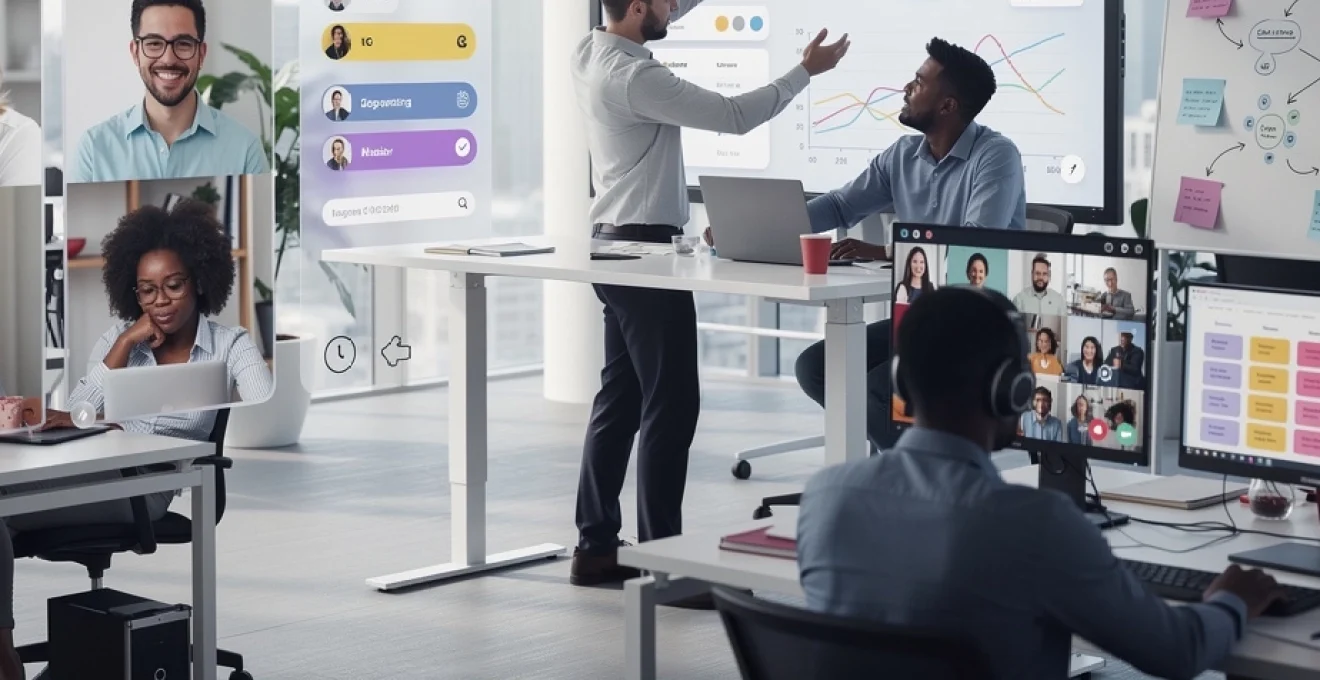
The hybrid work revolution has fundamentally transformed leadership requirements across industries. With 52% of remote-capable employees now working in hybrid arrangements according to recent workplace research, leaders face unprecedented challenges in maintaining team cohesion, driving performance, and fostering culture across distributed environments. The traditional leadership playbook—built on physical proximity, impromptu hallway conversations, and visible supervision—no longer applies. Today’s effective hybrid leaders must master digital-first communication, build trust without constant oversight, and create equitable experiences for both remote and on-site team members. Success in this environment demands intentional systems, sophisticated technology integration, and a fundamental reimagining of what leadership presence means when your team exists across multiple locations and time zones.
Asynchronous communication protocols for distributed team coordination
Asynchronous communication has emerged as the cornerstone of effective hybrid team management, enabling collaboration without requiring simultaneous availability. Unlike traditional synchronous communication that demands real-time participation, asynchronous approaches allow team members to contribute on their own schedules, reducing meeting fatigue whilst maintaining productivity. Research indicates that teams with structured asynchronous protocols experience 66% higher engagement and 29% lower burnout rates compared to those relying primarily on synchronous interactions.
The shift to asynchronous-first communication requires deliberate infrastructure and cultural change. Leaders must establish clear expectations around response times, communication channels, and information hierarchy. Without these frameworks, asynchronous communication can create confusion, delay decision-making, and leave team members feeling isolated or disconnected from critical updates. The most successful hybrid teams treat asynchronous communication not as a fallback option, but as their primary coordination method, with synchronous meetings reserved for activities that genuinely require real-time collaboration.
Implementing slack channels and microsoft teams architecture for Time-Zone management
Platform architecture plays a critical role in asynchronous effectiveness. Slack channels and Microsoft Teams workspaces must be structured thoughtfully to prevent information overload whilst ensuring discoverability. Leading hybrid organisations typically implement a three-tier channel structure: team-wide channels for announcements and broad updates, project-specific channels for collaboration, and social channels for relationship building. Each channel should have clearly defined purposes, posting guidelines, and expected response times.
Time-zone management becomes particularly complex in globally distributed teams. Smart leaders implement channel naming conventions that include geographic indicators (e.g., #team-apac, #team-emea) and establish clear protocols for urgent versus non-urgent communications. Tools like Slack’s scheduling feature allow messages to be delivered during recipients’ working hours, whilst status indicators and custom availability settings help team members signal when they’re actively available versus focused on deep work. Pinned channel descriptions should always include core team hours when synchronous overlap is expected, creating predictability amidst flexibility.
Documentation-first culture using notion and confluence knowledge bases
A documentation-first culture represents a fundamental shift from oral to written knowledge transfer. Platforms like Notion and Confluence serve as centralised knowledge repositories where decisions, processes, and institutional knowledge live independently of individual team members. This approach proves especially valuable when team members work different schedules or across time zones—instead of waiting for a meeting or direct message response, colleagues can find answers through searchable documentation.
Effective documentation requires consistent templates, clear ownership models, and regular maintenance cycles. Leaders should establish documentation standards that include decision logs (capturing what was decided, why, and by whom), process documentation (step-by-step guides for recurring tasks), and project wikis (centralised information hubs for ongoing initiatives). The discipline of writing things down also improves decision quality; articulating reasoning in text forces clearer thinking than verbal discussion alone. Teams that embrace documentation-first practices report 40% faster onboarding for new members and significantly reduced dependency on specific individuals for critical knowledge.
Loom and async video updates to replace synchronous meeting overhead
Asynchronous video has emerged as a powerful middle ground between text documentation and synchronous meetings. Tools like Loom enable leaders to record screen-shares with voiceover narration, delivering nuanced updates that capture tone and emphasis whilst allowing recipients to consume content on their own schedule. This format works particularly well for project updates, training materials, and feedback sessions where visual demonstration adds value beyond written description.
Strategic use of async video can reduce synchronous meeting load by 30-50% whilst actually improving
clarity. For example, instead of a recurring status meeting, you might send a 10-minute Loom walkthrough of project dashboards each Monday, which team members watch at 1.25x speed when it suits them. Leaders can invite replies as short comments or quick follow-up clips, turning what used to be a 60-minute meeting into a flexible 15-minute async touchpoint. Over time, building a library of these videos creates a rich archive of context that new hires can revisit on demand, further reducing the need for live sessions.
To avoid async video becoming yet another source of noise, set simple guidelines: define when a Loom is preferred over a written update, cap videos at a recommended length (for example, under 8–10 minutes), and require a short written summary and key actions beneath each recording. You can also standardise folder structures or tags in your Loom or video library (such as update-weekly, training, retro) to keep things discoverable. As with any hybrid work tool, the value doesn’t come from the technology alone but from the discipline with which you and your team use it.
Response time SLAs and communication cadence frameworks
Even with robust tools, hybrid collaboration breaks down when people don’t know how fast they are expected to respond or which channel to use. That’s where response time SLAs and communication cadence frameworks come in. Think of them as “traffic rules” for distributed work: they don’t slow you down; they prevent collisions. When everyone shares the same expectations, you reduce anxiety, endless follow-ups, and the temptation to micromanage.
Many high-performing hybrid teams document a simple communication matrix that maps urgency to channels and response windows. For example, non-urgent questions in project channels might have a 24-hour SLA, direct messages a 4-hour window during working hours, and true emergencies handled via phone or pager tools. Weekly cadences—such as Monday priorities posts, mid-week check-ins, and Friday wins threads—provide rhythm and predictability. As a leader, you should model adherence to these agreements; if you regularly break your own SLAs, your team will stop trusting the system and hybrid coordination will become reactive again.
Digital-first leadership presence and virtual team engagement strategies
In a hybrid work environment, leadership presence is no longer about who sees you walking the floor; it’s about how consistently and thoughtfully you show up in digital spaces. Employees will judge your accessibility and reliability based on your behaviour in Slack, Teams, email, and video calls. Are you visible but not overbearing? Do you communicate clearly without flooding channels? Do you create psychological safety in remote meetings? These questions define digital-first leadership.
Research from Gallup continues to show that managers account for roughly 70% of the variance in team engagement, and that impact is amplified when teams are distributed. Leaders who embrace virtual engagement strategies—such as structured social interactions, transparent updates, and authentic check-ins—can offset the loss of hallway conversations and office energy. The goal isn’t to replicate the office online; it’s to design intentional digital rituals that keep people connected, informed, and motivated, regardless of their location.
Leveraging donut for slack and random coffee trials for remote relationship building
One of the biggest risks in hybrid teams is that relationships become transactional and limited to immediate collaborators. Tools like Donut for Slack and “random coffee” trials recreate the serendipity of office encounters by pairing colleagues for informal chats. These 20–30 minute conversations, held every week or two, help build cross-functional trust, break down silos, and give new joiners a low-pressure way to meet people they might never work with directly.
To make these programmes effective rather than awkward, set light structure and norms. You might suggest two or three simple prompts (“What are you working on this week that excites you?”; “What’s one tip that helps you stay focused when working from home?”) so conversations don’t stall. As a leader, participate visibly in these schemes and occasionally highlight positive stories that emerge from them. Over time, these micro-interactions compound into stronger social cohesion, which research identifies as a key predictor of performance in virtual teams.
Video-on leadership standards and camera etiquette protocols
Video calls are now the closest analogue to in-person interactions, but they can easily become exhausting or inequitable. Setting clear, humane camera etiquette standards helps preserve both engagement and energy. Instead of a blanket “camera always on” policy, many effective hybrid teams adopt a “purpose-based” approach: for coaching conversations, team rituals, and sensitive topics, video-on is encouraged; for large webinars, deep-focus working sessions, or back-to-back days, video-optional is acceptable.
As a leader, your behaviour sets the tone. Consistently joining key meetings with your camera on, in a well-lit and professional environment, signals presence and respect. Equally, explicitly granting permission for people to turn cameras off at times—perhaps during long presentations or when bandwidth is limited—supports wellbeing and inclusion. Simple protocols, such as muting when not speaking, using reactions instead of interrupting, and agreeing hand-raise norms, reduce cognitive load and make hybrid meetings smoother for everyone.
Virtual office hours and open-door policy digital equivalents
In traditional offices, an open-door policy allowed team members to drop by with questions or concerns. In hybrid work, you need a digital equivalent: predictable virtual office hours. These are recurring time blocks—perhaps twice a week—when you’re available on Zoom, Teams, or an open audio channel for ad hoc conversations. Team members know they can join without an appointment for quick decisions, coaching, or to flag emerging issues before they escalate.
To avoid these sessions turning into yet another unstructured meeting, communicate their purpose clearly and keep attendance optional. Some leaders use virtual office hours for “ask me anything” segments, short mentoring chats, or cross-team Q&A, which can be especially valuable for employees who are rarely on-site. Over time, this practice reinforces your accessibility and helps counter the perception that remote workers have less access to leadership than their in-office peers.
Recognition systems through bonusly and kudos platforms
Recognition is one of the most powerful levers for engagement in a hybrid work environment, yet it’s often overlooked when you no longer witness great work in person. Digital recognition platforms such as Bonusly and Kudos make appreciation visible across locations by enabling peers and managers to give small, frequent shout-outs tied to company values. These micro-rewards often come with points that can be redeemed for vouchers or experiences, but their psychological impact is even more important than their monetary value.
To embed recognition into hybrid culture, set simple expectations: for example, encourage each team member to recognise at least one colleague per week and model this yourself in public channels. Highlight contributions from both remote and in-office employees to reduce proximity bias and ensure that “invisible” work—documentation, mentoring, or behind-the-scenes problem-solving—gets noticed. When recognition is specific (“thank you for documenting the new process in Confluence; it saved us hours this week”) rather than generic, it reinforces the behaviours and hybrid work practices you want to see more of.
Performance management frameworks for hybrid accountability
Hybrid work exposes weaknesses in traditional performance management frameworks that rely on visibility, hours logged, or informal impressions. In a distributed context, you can no longer equate performance with physical presence; you need clear, outcome-based systems that work equally well whether someone is in the office three days a week or visits quarterly. Done well, hybrid performance management increases fairness, clarity, and motivation because everyone understands what success looks like and how it will be measured.
Modern tools such as Lattice, 15Five, and similar platforms enable continuous feedback, objective tracking, and structured check-ins that are not bound to a particular location. Rather than annual reviews filled with recency bias and guesswork, you can build a living record of goals, progress, and feedback that travels with each employee across teams and time zones. This shift from episodic evaluation to ongoing coaching is one of the most important leadership adaptations in a hybrid work environment.
OKR implementation using lattice and 15five continuous feedback systems
Objectives and Key Results (OKRs) are particularly well suited to hybrid teams because they focus everyone on shared outcomes instead of activities. Platforms like Lattice and 15Five make it easier to cascade company OKRs down to team and individual levels, track progress asynchronously, and discuss blockers during regular 1:1s. When all team members, whether remote or on-site, can see how their work aligns with broader goals in real time, alignment and accountability improve dramatically.
To avoid OKRs becoming a bureaucratic exercise, start small and prioritise clarity over quantity. You might set one to three objectives per quarter, each with a handful of measurable key results, and review them weekly or bi-weekly in your performance management system. Encourage employees to update their own key results before check-ins so that meetings focus on decisions and support, not status reporting. Over time, this rhythm embeds a culture of continuous improvement, where hybrid workers feel both empowered and accountable for their outcomes.
Output-based metrics versus presenteeism in remote work evaluation
One of the most damaging habits you can carry into a hybrid model is presenteeism—the tendency to judge performance based on who appears busiest or most visible. In a distributed team, this bias not only demotivates high performers who prefer deep, quiet work but also disadvantages remote employees who can’t rely on “face time” with leaders. The alternative is to design output-based metrics aligned with role expectations and customer value.
For example, instead of monitoring time online, a customer support team might track resolution rates, satisfaction scores, and response times; a product team might focus on shipped features, quality metrics, and user adoption. These output-based metrics should be transparent and consistent across locations so that a hybrid work environment does not create “second-class” remote employees. Shifting the conversation from hours to impact also builds trust: you’re signalling that what matters is the value people create, not where or when they sit at their desks.
Asynchronous performance reviews and 360-degree feedback loops
Traditional performance reviews assume synchronous, in-person conversations and often rely on limited perspectives. In a hybrid context, asynchronous performance reviews and 360-degree feedback loops provide a more complete and less biased view. Many organisations now invite peers, cross-functional partners, and even customers to contribute structured feedback via tools like 15Five or Lattice over a set period. Managers then synthesise this input into a narrative, which is shared with the employee ahead of a live discussion.
This asynchronous approach has several advantages: it gives contributors time to reflect, reduces scheduling friction across time zones, and allows employees to digest feedback before discussing it. As a leader, you can also record short video summaries for complex feedback, pairing written assessments with human tone. The key is to maintain regular check-ins throughout the year so that formal reviews contain few surprises—hybrid workers should feel that performance conversations are an ongoing dialogue, not an annual verdict delivered from afar.
Technology stack optimisation for seamless hybrid workflows
A hybrid work environment lives or dies by its technology stack. When tools are fragmented, duplicated, or poorly integrated, employees waste hours context-switching and chasing information. When your stack is coherent and thoughtfully designed, work flows smoothly across home offices, co-working spaces, and headquarters. Optimising this stack is not about buying every new SaaS product on the market; it’s about choosing a small number of interoperable platforms and using them consistently.
From project management and cloud collaboration to virtual whiteboarding and cybersecurity, your choices send a strong signal about how serious you are about hybrid work. Leaders who treat technology decisions as strategic—not just as IT concerns—enable their teams to coordinate asynchronously, share knowledge, and innovate without being in the same room. The result is a more resilient organisation that can adapt to disruptions, expansion, or restructuring with less friction.
Project management centralisation through asana, monday.com, and ClickUp
In hybrid teams, work scattered across email threads, chat messages, and personal spreadsheets is a recipe for missed deadlines and duplicated effort. Centralising project management in tools like Asana, Monday.com, or ClickUp gives everyone a single source of truth for tasks, owners, and timelines. Each piece of work has a home, a status, and a clear next step, which reduces the need for constant status meetings and follow-up messages.
When implementing a centralised system, resist the temptation to overcomplicate it. Start with a small number of standardised project templates, naming conventions, and workflow stages that apply across teams. Encourage team members to comment directly on tasks instead of discussing work in private DMs, so that context remains attached to the work itself. Over time, this discipline turns your project management tool into an operational backbone for hybrid work, where anyone can see what’s in motion—no matter where they’re working that day.
Cloud collaboration infrastructure with google workspace and microsoft 365
Cloud productivity suites such as Google Workspace and Microsoft 365 are now the default infrastructure for distributed collaboration. Shared drives, real-time co-editing, and integrated chat reduce friction when teams are split between home and office. Instead of emailing attachments back and forth, hybrid workers can collaborate live in Docs or Word Online, leave comments asynchronously, and maintain a single version of truth for each document or presentation.
To get the most from these platforms, define clear storage structures (for example, by department and project), permissions models, and file-naming standards. Educate your team on best practices like using comments instead of inline edits for feedback, or version history instead of saving multiple copies. When cloud tools are used consistently, information becomes more accessible, onboarding is faster, and remote employees no longer feel like they’re “out of the loop” because key files live on someone’s laptop in the office.
Virtual whiteboarding with miro and MURAL for distributed brainstorming
Hybrid teams often struggle with creative collaboration because traditional whiteboards privilege whoever happens to be in the room. Virtual whiteboarding tools like Miro and MURAL level the playing field by giving everyone a shared canvas, whether they’re in a meeting room or dialing in from home. Sticky notes, templates, voting tools, and timers make it possible to run discovery workshops, retrospectives, and design sprints entirely online or in mixed-mode settings.
To prevent these sessions from becoming chaotic, facilitators should design boards in advance and set simple participation rules—such as silent brainstorming for five minutes, followed by grouping and voting. You can also invite asynchronous contributions before or after live workshops, which is particularly valuable across time zones or for more introverted team members. When leaders consistently use virtual whiteboards for high-impact discussions, they send a clear message: hybrid collaboration is not an afterthought; it is the default.
Cybersecurity protocols and VPN standards for remote access
As your workforce becomes more distributed, your attack surface expands. Laptops are used on home Wi-Fi, sensitive files may be opened in public spaces, and personal devices often blur with corporate ones. Robust cybersecurity protocols and VPN standards are therefore non-negotiable components of hybrid work. Beyond traditional measures such as strong passwords and antivirus software, modern distributed teams rely on multi-factor authentication, endpoint management, and encrypted VPN connections for remote access to internal systems.
Clear security guidelines are as important as the tools themselves. Employees should understand which data can be stored locally, how to report suspicious activity, and what to do if a device is lost or compromised. Short, scenario-based training—rather than dense policy documents—helps people internalise these expectations. Remember, a single phishing email clicked in a home office can have the same impact as one opened at headquarters. Treat security as a shared responsibility across your hybrid team, not just as an IT concern.
Equity and inclusion practices across in-office and remote team members
Hybrid work can easily create a two-tier system if you’re not intentional: one group enjoys regular face time with leaders and informal information flows; the other dials into meetings from afar and risks becoming “out of sight, out of mind.” To lead effectively in a hybrid work environment, you must design for equity and inclusion from the outset. That means examining how decisions are made, who gets invited into key conversations, and how opportunities for growth are distributed.
In practice, equitable hybrid leadership touches everything from meeting facilitation and performance reviews to office space design and flexible work policies. The aim is not to treat everyone identically but to ensure that remote and in-office employees have equal access to information, influence, and advancement. When people trust that their location will not limit their career, they are more likely to embrace hybrid work and less likely to seek employment elsewhere.
Hybrid meeting facilitation techniques to prevent proximity bias
Proximity bias—the tendency to favour those physically near us—is one of the most insidious risks in hybrid teams. It often shows up in meetings, where in-room participants dominate the conversation while remote colleagues struggle to interject. To counter this, effective hybrid leaders adopt specific facilitation techniques. For example, they may require that everyone, including those in the office, joins via their own device with cameras on, so all faces have equal screen real estate.
Other practices include starting with input from remote participants, using structured rounds (“let’s hear from each person for one minute”), and relying on hand-raise or chat features to manage turns. Designating a “remote advocate” in each meeting—someone who monitors the chat and explicitly invites contributions from those online—can also help. When you consistently run hybrid meetings this way, you send a powerful message: physical presence does not equate to having a louder or more important voice.
Equal access to leadership visibility and career development opportunities
Career progression in many organisations has historically depended on informal networks and visibility to senior leaders. In a hybrid work environment, this can quickly disadvantage remote workers unless you intervene deliberately. Ask yourself: who gets staffed on stretch projects, invited to strategy sessions, or asked for their opinion on new initiatives? If the answer is usually “the people who are in the office,” you risk creating an inequitable culture that undermines trust.
To rebalance this, create transparent criteria for high-visibility assignments and communicate them openly. Rotate who presents team updates to leadership in virtual town halls, ensuring both remote and in-office colleagues have the chance to be seen. Offer mentoring, coaching, and learning opportunities in formats that remote workers can access live or on demand. When employees see that leadership visibility and development pathways are not gated by geography, they’re more likely to commit to your hybrid model for the long term.
Flexible work policy design and hot-desking coordination systems
Hybrid work policies that are vague or applied inconsistently can breed resentment and confusion. Clear guidelines around how often people are expected in the office, which days are team days versus focus days, and how hot-desking works are essential for both fairness and operational efficiency. Many organisations now use desk booking systems to coordinate space usage, ensuring that when teams do come together, there are enough seats and the right types of collaboration areas available.
When designing flexible work policies, involve employees in the process and gather feedback through surveys or focus groups. This not only surfaces practical considerations—commute times, caregiving responsibilities, accessibility needs—but also increases buy-in. Be explicit that flexibility is a performance tool, not a perk reserved for a select few. By linking hybrid arrangements to clear outcomes and team agreements, you help prevent “us versus them” dynamics between those who are more often on-site and those who are mostly remote.
Psychological safety and well-being initiatives in distributed teams
High performance in a hybrid work environment depends not just on tools and processes but on psychological safety and wellbeing. When people feel safe to speak up, admit mistakes, and ask for help—without fear of blame or career damage—they collaborate more effectively and innovate more freely. At the same time, distributed work can increase risks of isolation, blurred boundaries, and burnout if not managed carefully.
Leaders must therefore expand their remit beyond task coordination to include active stewardship of mental health and sustainable workloads. This doesn’t mean becoming a therapist, but it does mean paying attention to behavioural signals, normalising conversations about stress, and using data where available to identify patterns of overwork. In hybrid teams, where you can’t rely on passing someone’s desk to notice they look exhausted, intentional structures for wellbeing are essential.
Combating zoom fatigue through meeting-free blocks and calendar hygiene
One of the most common complaints in hybrid workplaces is “Zoom fatigue”—the mental exhaustion that comes from back-to-back video calls. The solution is less about changing platforms and more about calendar hygiene and meeting discipline. Start by auditing your team’s recurring meetings: which can be converted to async updates, shortened, or merged? Many organisations now institutionalise meeting-free blocks, such as Wednesday afternoons, to protect deep work and reduce cognitive overload.
As a leader, you should model good behaviour by declining unnecessary invites, starting and ending meetings on time, and being ruthless about agendas and outcomes. Encourage practices like 25- or 50-minute meetings instead of full half-hours or hours, giving people time to stretch and reset. When you respect your team’s attention as a finite resource—not an endless commodity—you not only reduce fatigue but also signal that sustainable performance in a hybrid work environment matters more than performative busyness.
Mental health support platforms and employee assistance programme integration
Hybrid work blurs the line between personal and professional life, making mental health support more critical than ever. Many organisations now supplement traditional Employee Assistance Programmes (EAPs) with digital mental health platforms offering therapy, coaching, mindfulness resources, or self-paced courses. Because these services are accessible from anywhere, they’re particularly well suited to remote employees who may not be near corporate offices or local providers.
However, simply offering resources is not enough; employees need to feel psychologically safe using them. Communicate clearly how confidentiality is protected, share anonymised usage statistics to normalise uptake, and have leaders speak openly about their own experiences with stress or burnout where appropriate. You can also integrate wellbeing check-ins into regular 1:1s, asking simple, open questions like “What’s one thing that would make your workload more sustainable this month?” This reinforces the message that mental health is a legitimate topic of conversation, not a private burden to be carried alone.
Burnout detection through workload analytics and microsoft viva insights
Because hybrid managers cannot physically see who is staying late or skipping breaks, data-driven insights become a valuable early warning system for burnout. Tools like Microsoft Viva Insights and similar analytics platforms can surface patterns such as excessive after-hours work, meeting overload, or shrinking focus time. These metrics are not about surveillance; they are about spotting systemic issues that, left unchecked, will erode wellbeing and performance.
Used responsibly, workload analytics help you ask better questions. If a team’s average weekly meeting hours have climbed sharply, do they need clearer async protocols? If an individual is consistently working late into the evening across time zones, do they need support in setting boundaries or recalibrating expectations? Pairing quantitative signals with qualitative conversations ensures that you address root causes rather than symptoms. Ultimately, preventing burnout in a hybrid work environment is an ongoing leadership practice—one that combines clear priorities, realistic workloads, and a culture where rest is seen as a prerequisite for great work, not an indulgence.