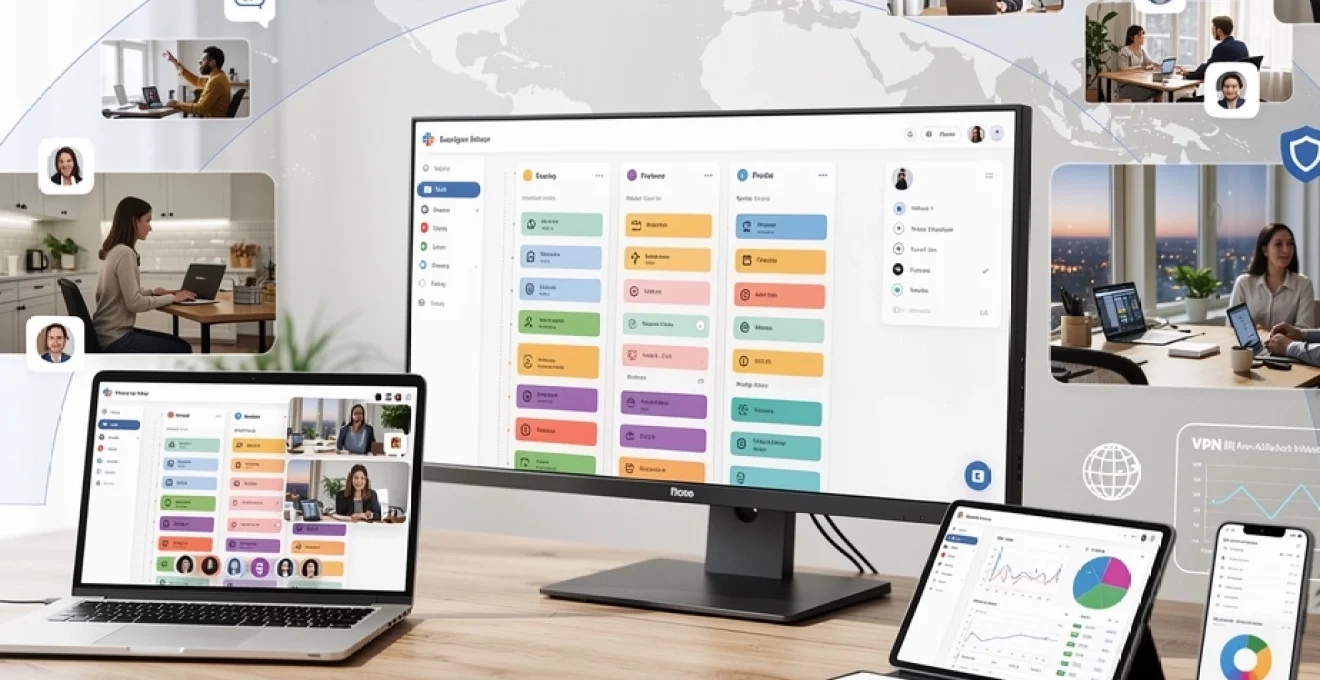
The shift to remote work has fundamentally transformed how organisations approach team management and productivity optimisation. With 56% of US companies increasing their remote work offerings and 13% of the UK workforce operating fully remotely, managers face unprecedented challenges in coordinating distributed teams across multiple time zones and locations. The traditional management playbook requires significant adaptation when employees work from diverse environments, relying heavily on digital tools and virtual communication channels.
Successful remote team management demands a sophisticated understanding of technology infrastructure, performance monitoring systems, and cultural engagement strategies. Modern managers must become proficient in leveraging collaboration platforms, implementing accountability frameworks, and maintaining team cohesion without the benefit of physical proximity. The complexity increases exponentially when managing cross-functional teams with varying technical requirements and workflow dependencies.
The stakes for effective remote management have never been higher, with organisations reporting that properly managed remote teams demonstrate 20% higher productivity levels than their traditional counterparts. However, poorly managed distributed teams experience significant challenges including communication breakdowns, decreased accountability, and cultural disconnection that can severely impact business outcomes.
Remote team communication infrastructure and tool selection
Establishing robust communication infrastructure serves as the foundation for successful remote team management. The selection and implementation of appropriate digital tools directly impacts team productivity, collaboration effectiveness, and overall project success rates. Modern remote teams require multiple communication channels optimised for different interaction types, from real-time collaboration to asynchronous knowledge sharing.
The complexity of tool selection increases with team size and geographical distribution. Organisations must balance functionality requirements with user adoption rates, ensuring that chosen platforms integrate seamlessly with existing workflows while providing sufficient scalability for future growth. Strategic tool selection can reduce communication overhead by up to 35% while improving project delivery timelines.
Slack channel architecture for Cross-Functional team coordination
Effective Slack implementation requires careful channel architecture design that supports both departmental communication and cross-functional collaboration. Channel naming conventions should follow consistent hierarchical structures, enabling team members to locate relevant discussions quickly. Project-specific channels should include clear ownership assignments and defined lifecycle management protocols to prevent information silos.
Advanced Slack configurations utilise automated workflows and bot integrations to streamline routine communications. Custom notification settings for different channel types help team members prioritise urgent communications while maintaining focus during deep work periods. Integration with external tools through Slack’s API ecosystem creates centralised communication hubs that reduce context switching.
Microsoft teams integration with project management workflows
Microsoft Teams excels in environments requiring tight integration with Office 365 ecosystem applications. The platform’s strength lies in combining video conferencing, file sharing, and collaborative editing within unified workspaces. Teams channels can be structured around specific projects or departments, with granular permission controls ensuring appropriate access levels.
The integration capabilities extend to popular project management tools, creating seamless workflows where task updates trigger automatic notifications and progress reports. SharePoint integration enables sophisticated document management, while Power BI connections provide real-time project analytics directly within team channels. These integrations reduce administrative overhead while maintaining comprehensive project visibility.
Asana task assignment protocols for distributed workforces
Asana’s project management capabilities shine in distributed workforce environments through its flexible task hierarchy and dependency management features. Effective implementation requires establishing clear task creation protocols, including mandatory fields for priority levels, due dates, and assignee responsibilities. Custom field configurations should align with organisational reporting requirements and performance metrics.
Advanced Asana usage incorporates automated project templates and recurring task sequences that standardise workflow processes across teams. Portfolio-level tracking provides managers with consolidated views of resource allocation and project progress, while timeline features enable proactive identification of potential bottlenecks. Integration with time tracking tools creates comprehensive project cost analysis capabilities.
Zoom meeting cadence optimisation for global time zones
Managing meeting schedules across global time zones requires sophisticated planning tools and fair rotation policies. Zoom’s scheduling features should be coupled with timezone-aware calendar integrations that automatically adjust meeting times for participants in different regions. Recording capabilities become essential for team members unable to attend synchronous sessions due to timezone conflicts.
Meeting cadence optimisation involves analyzing attendance patterns and productivity metrics to identify optimal scheduling windows. Effective global teams typically establish core collaboration hours where all time zones overlap, supplemented by regional
sub-meetings focused on execution. Over time, teams should standardise a recurring Zoom meeting cadence that includes weekly stand-ups, fortnightly sprint reviews, and monthly retrospectives, all aligned with clearly defined agendas and time limits. This structured approach minimises meeting fatigue while ensuring remote employees remain informed, aligned, and able to contribute regardless of location.
Performance monitoring frameworks for distributed teams
Maintaining productivity in a remote team depends on transparent performance monitoring frameworks that focus on outcomes rather than activity surveillance. Distributed teams require clearly defined objectives, shared visibility into progress, and consistent feedback loops. When implemented correctly, performance monitoring becomes less about control and more about enabling remote employees to self-manage and course-correct in real time.
Modern organisations increasingly use integrated toolchains to track key metrics across multiple functions, from engineering to customer support. The goal is to consolidate data from disparate systems into a coherent picture of productivity and engagement. By combining OKRs, time tracking, and workflow automation, managers can identify bottlenecks early, allocate resources more effectively, and maintain high performance standards without micromanagement.
OKR implementation using monday.com for remote accountability
Objectives and Key Results (OKRs) provide a powerful framework for aligning remote teams around measurable outcomes. Monday.com supports OKR implementation through custom boards that map high-level company objectives to team and individual key results. Each objective can be broken down into measurable outputs, with owners, timelines, and status indicators clearly defined.
To maintain remote accountability, managers should schedule regular OKR review cycles within Monday.com, typically on a quarterly rhythm with weekly check-ins. Dashboards can aggregate progress across teams, allowing leaders to quickly see which key results are on track and which require intervention. Comment threads, file attachments, and update logs within items create an auditable history of decisions, making remote performance management more transparent and data-driven.
Jira workflow automation for sprint tracking across locations
For engineering and product teams, Jira remains the backbone of sprint tracking and backlog management in remote settings. Effective distributed use starts with well-defined workflows that reflect your development methodology, whether Scrum, Kanban, or a hybrid approach. Status transitions such as To Do, In Progress, In Review, and Done should be standardised across locations to minimise confusion.
Jira’s automation engine enables remote managers to reduce manual overhead by triggering actions based on issue events. For example, moving a ticket to In Review can automatically notify code reviewers in Slack or Microsoft Teams, while closing a sprint can generate summary reports for stakeholders. By visualising sprint burndown charts and cumulative flow diagrams, distributed teams gain real-time insight into throughput and bottlenecks, supporting data-informed decisions about scope, capacity, and cross-team dependencies.
Time doctor integration with payroll systems for productivity metrics
Time Doctor provides granular time tracking and productivity insights that can be integrated with payroll systems for accurate compensation and resource planning. For remote teams, this integration helps reconcile billable hours, project allocations, and overtime in a single streamlined workflow. Managers can configure Time Doctor to categorise time by client, project, or task, ensuring that payroll reflects actual work performed.
When linked to payroll platforms, approved timesheets automatically generate pay runs, reducing administrative effort and error risk. However, organisations must deploy such tools with transparency and clear communication to avoid perceptions of excessive monitoring. The emphasis should be on using productivity metrics to optimise workloads, identify training needs, and support flexible working arrangements rather than policing every minute of an employee’s day.
Toggl track data analysis for resource allocation decisions
Toggl Track offers lightweight time tracking that is particularly suited to knowledge workers in remote environments. By tagging time entries with projects, clients, and activity types, organisations can build a detailed picture of how distributed teams spend their working hours. Over weeks and months, this dataset becomes a strategic asset for resource allocation and capacity planning.
Analysing Toggl Track reports enables leaders to identify under-resourced initiatives, overburdened individuals, and low-value activities that could be automated or eliminated. For example, if a significant percentage of time is spent on status reporting, it may be more efficient to introduce workflow automation or shared dashboards. By treating time data as a diagnostic tool, you can rebalance workloads, refine priorities, and protect your remote team from burnout.
Github commit frequency monitoring for developer output assessment
For software development teams, GitHub provides a rich stream of activity data that can be used to assess output and collaboration patterns. Commit frequency, pull request volume, and code review participation all contribute to understanding how remote engineers engage with the codebase. However, raw commit counts should never be the sole measure of performance; quality, complexity, and impact must also be considered.
Remote leaders can use GitHub insights to spot potential risks, such as prolonged lack of commits from a developer who may be blocked or overextended. Combined with Jira or other issue trackers, commit data helps correlate engineering effort with business outcomes. Regularly reviewing contribution graphs, pull request cycle times, and review workloads supports more balanced distribution of tasks and reinforces a culture of shared ownership rather than individual heroism.
Virtual team leadership methodologies and management techniques
Leading remote teams effectively requires an evolution of traditional management techniques rather than a complete reinvention. The core responsibilities—setting direction, removing obstacles, and developing people—remain the same, but the signals and channels through which leaders operate change significantly. In virtual environments, the absence of informal office interactions means that leadership communication must be more deliberate, structured, and frequent.
High-performing virtual leaders blend outcome-based management with psychological safety and empathy. They establish clear expectations around deliverables and availability, while also encouraging open dialogue about workload and wellbeing. Regular one-to-one meetings, virtual town halls, and written updates help maintain alignment and trust. By modelling transparent decision-making and acknowledging challenges openly, leaders create a remote work culture in which employees feel both accountable and supported.
An effective methodology for virtual leadership is to adopt a “coach, not controller” mindset. Rather than focusing on how many hours someone is online, leaders should concentrate on helping team members remove blockers, sharpen priorities, and grow their skills. Techniques such as asynchronous feedback, written decision logs, and collaborative goal-setting sessions make this coaching approach scalable across time zones. Over time, remote teams become more autonomous and resilient, allowing leaders to focus on strategic initiatives instead of constant firefighting.
Remote work culture development and employee engagement strategies
Sustainable productivity in remote teams depends heavily on a strong, intentional remote work culture. Without the informal social cues of an office, employees can quickly feel isolated or disconnected from the organisation’s mission. To counter this, companies must deliberately design rituals, communication norms, and recognition practices that reinforce a shared identity across locations.
One effective strategy is to codify remote work principles in a concise, accessible handbook that covers communication expectations, meeting etiquette, and core values. This acts as a social contract for distributed teams, clarifying what “good remote citizenship” looks like in practice. In parallel, leaders should invest in engagement initiatives such as virtual coffee chats, peer recognition programs, and cross-team learning sessions that bring people together beyond their immediate projects.
Employee engagement also relies on visible career progression pathways in remote settings. Clear criteria for advancement, access to mentoring, and regular development conversations signal that remote employees are not at a disadvantage compared to on-site colleagues. By tracking engagement metrics—such as participation in optional events, pulse survey scores, and internal mobility—HR and leadership teams can intervene early when cultural or motivational issues arise, rather than waiting for turnover to reveal deeper problems.
Cybersecurity protocols and data protection for remote operations
As organisations scale remote operations, cybersecurity and data protection move from IT concerns to core business priorities. Distributed workforces introduce additional attack surfaces, from home Wi-Fi networks to personal devices accessing corporate systems. To maintain trust with customers and comply with regulations, companies must implement robust security protocols tailored to remote work realities.
Effective cybersecurity for remote teams is built on three pillars: secure access, strong authentication, and disciplined data handling. This includes enforcing Virtual Private Network (VPN) usage, mandating multi-factor authentication, and standardising tools for password and credential management. Training is equally important; even the most advanced technical controls can be undermined by phishing attacks or careless data sharing. Regular security awareness sessions help employees understand their role as the first line of defence, wherever they are located.
VPN configuration standards for multi-location team access
VPNs create encrypted tunnels between remote devices and corporate networks, ensuring that sensitive data cannot be easily intercepted. For multi-location teams, VPN configuration must balance strong security with reliable performance. IT teams should define standard VPN profiles that specify encryption protocols, DNS settings, and split tunnelling policies, then deploy them consistently across all endpoints.
Centralised management of VPN clients allows organisations to enforce mandatory updates, revoke access quickly when necessary, and monitor unusual connection patterns. For example, repeated failed login attempts from unfamiliar regions can trigger alerts for further investigation. Clear usage policies—such as requiring VPN connections whenever accessing internal systems or customer data—reduce ambiguity for remote employees and minimise the risk of accidental exposure.
Two-factor authentication implementation across SaaS platforms
Two-factor authentication (2FA), or more broadly multi-factor authentication (MFA), is one of the most effective safeguards against account compromise. When managing remote teams, organisations should enable 2FA across all critical SaaS platforms, including email, project management tools, and cloud storage services. This ensures that stolen or guessed passwords alone are insufficient to grant access.
Implementation can use a mix of methods—authenticator apps, hardware tokens, or SMS codes—depending on risk tolerance and user convenience. Centralised identity providers, such as single sign-on solutions, simplify enforcement by allowing administrators to apply consistent 2FA policies across multiple tools. Clear onboarding instructions and support channels help remote employees adopt 2FA smoothly, turning a potential friction point into a normal part of secure daily operations.
GDPR compliance requirements for remote employee data handling
For organisations operating in or serving customers in the European Union, GDPR compliance extends to remote work environments. This means that personal data—whether belonging to customers, prospects, or employees—must be processed lawfully, transparently, and securely, regardless of where staff are located. Remote employees who handle personal data need practical guidance on compliant behaviours.
Policies should specify how and where personal data can be stored, which tools are approved for data transfer, and how to handle access requests or deletion requests from individuals. For instance, saving unencrypted spreadsheets with customer details on a personal desktop may violate internal and regulatory requirements. Regular audits, Data Protection Impact Assessments (DPIAs), and clear incident reporting procedures help ensure that distributed operations remain aligned with GDPR and similar privacy regulations.
Lastpass enterprise deployment for credential management
Credential sprawl is a common challenge in remote teams, with multiple SaaS tools and cloud services requiring unique logins. LastPass Enterprise addresses this by providing a centralised, encrypted vault for storing and sharing credentials. Administrators can create shared folders for specific teams, granting role-based access to passwords without exposing them in plain text via chat or email.
Deploying LastPass Enterprise involves integrating it with corporate identity providers, defining password policies, and training employees to use the browser extensions and mobile apps. Features such as automated password generation, dark web monitoring, and security scorecards encourage better password hygiene across the organisation. By reducing reliance on weak or reused passwords, companies significantly lower the risk of credential-based attacks in a remote work context.
Remote onboarding automation and knowledge transfer systems
Onboarding remote employees effectively is critical for ramping up productivity and embedding company culture from day one. Unlike office-based hires who can learn informally by observation, remote newcomers rely heavily on structured processes and accessible documentation. Automated onboarding workflows ensure that essential steps—account provisioning, security training, and introductions to key stakeholders—are executed consistently and on schedule.
Organisations can leverage HRIS platforms and workflow automation tools to trigger checklists, assign onboarding tasks, and schedule welcome meetings as soon as an offer is accepted. For example, new hires might receive a sequenced set of tasks in Asana or Monday.com, covering everything from watching culture videos to completing compliance modules. This not only standardises the remote onboarding experience but also provides managers with visibility into progress, allowing them to intervene quickly if someone falls behind.
Knowledge transfer in remote teams relies on well-maintained digital repositories rather than ad hoc conversations. Centralised knowledge bases—built in platforms such as Confluence, Notion, or SharePoint—should store playbooks, process documents, and FAQs in a logical, searchable structure. To keep this content alive, teams can adopt documentation sprints or assign ownership for specific sections, ensuring that information reflects current practices and tools.
Encouraging asynchronous knowledge sharing—through recorded Loom walkthroughs, written post-mortems, and annotated diagrams—helps bridge time zone gaps and reduces repeated explanations. New hires can consume this material at their own pace, returning to it whenever needed. Over time, a rich, well-indexed knowledge system becomes the organisational “memory” that enables remote teams to scale, adapt, and maintain productivity even as individual members join or move on.